Use case · for developers

Clear node_modules on Mac and Windows

Find every node_modules folder on your disk, see how big each one is, and remove only the ones you don't need. Native scanner for macOS and Windows, free to start, no auto-delete.

Mac · Windows · one license, both desktops · lifetime $19.99

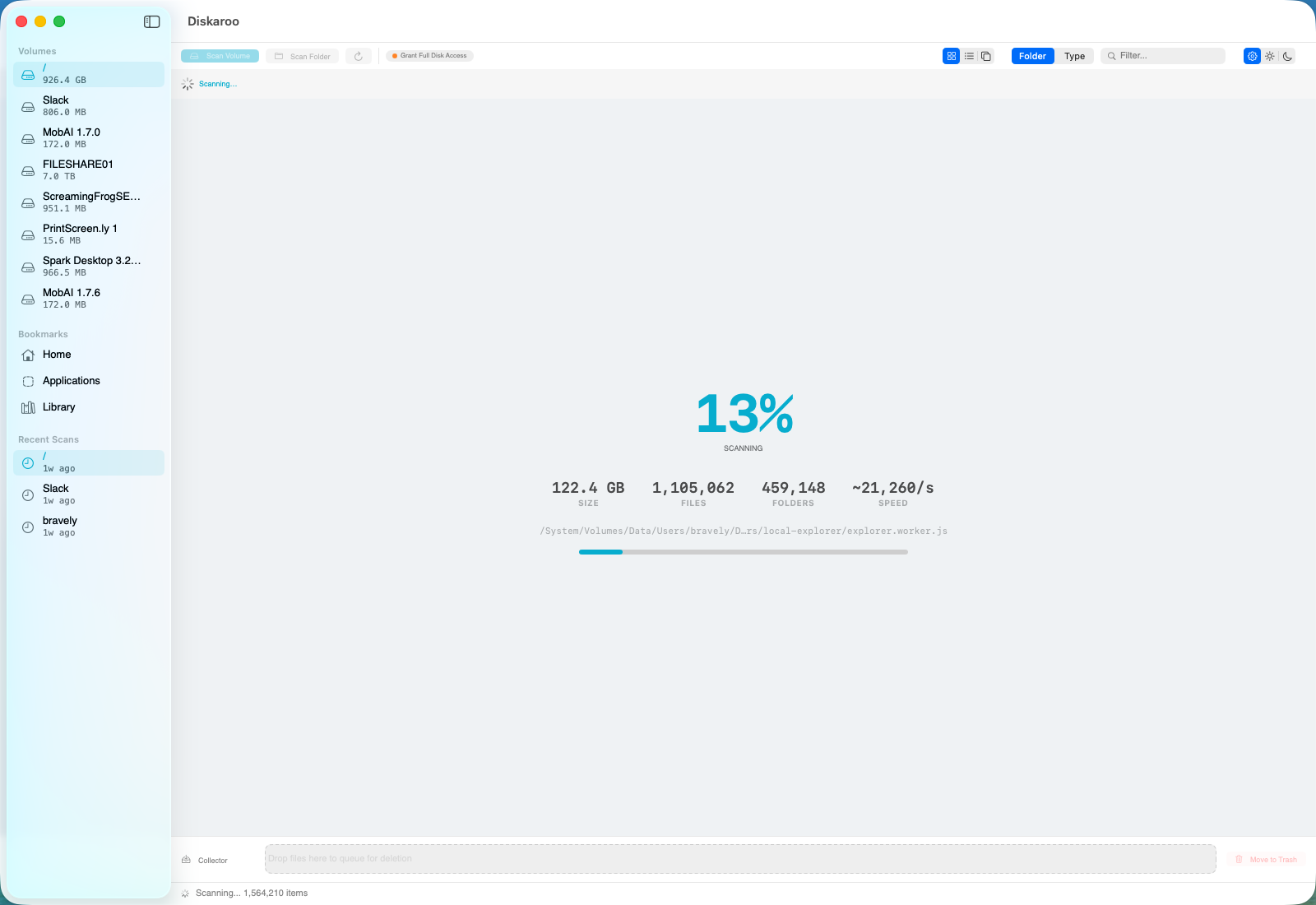
Diskaroo scanning a disk — live file count, treemap, and a collector tray showing files queued for removal.

Live scan in progress — 1.1 M files in 122 GB, ~21,000/s.

The problem with node_modules

If you've been writing JavaScript for more than a year, you have node_modules folders all over your disk. Every cloned repo has one. Every example you tried last summer has one. Every prototype that didn't become a real project has one. They're each a few hundred megabytes to a few gigabytes, and there's probably forty of them.

You could write a one-liner to find them — find . -name node_modules -prune on Mac, a PowerShell equivalent on Windows — and then rm -rf the lot. That works, until the one repo you actively use loses its dependencies and now CI is broken because you ran the command from one folder up.

What you actually want is something visual: every node_modules on the disk, sized largest first, with the path so you can tell the actively-used ones from the abandoned ones, and a staging area so you can review the list before anything is deleted.

How Diskaroo handles it

  • Fast scan of your whole disk

    Native Swift on macOS, native .NET on Windows. Around twenty thousand files per second on a normal SSD. Your home folder finishes in a minute or two; a full disk is a coffee break, not an afternoon.

  • Smart filter by folder name

    Type node_modules in the filter. Every node_modules folder on the disk surfaces, sized largest first. Same pattern works for .next, target, build, .venv, anything else cluttering your dev folders.

  • Treemap so you can see what's big

    The visual treemap is the primary view. The largest node_modules blocks jump out instantly. Drill in by clicking a block, breadcrumb back out, sort by size or modified date in the list view.

  • Path is right there

    Each row shows the full path so you can tell the abandoned prototype from the project you shipped last week. Hover a row to reveal in Finder or Explorer when you want to double-check before removing.

  • Collector tray, not auto-delete

    Drag the folders you want gone into the collector tray. Diskaroo never deletes on its own — the tray is a staging area, total reclaimable space updates as you add and remove items, and you confirm before anything moves to trash.

  • Files go to the OS trash, recoverable

    Confirmed removals route through the Mac Trash or Windows Recycle Bin, not a hard delete. If you nuked the wrong node_modules, you can restore it before the trash is emptied and run npm install later.

  • Works the same on Mac and Windows

    Treemap, filter, collector tray, recents — same UX on both. One lifetime license covers both desktops, useful if you have a Mac at home and a Windows machine at work.

Four-step cleanup

  1. Scan your home folder or whole drive.

    Open Diskaroo, pick a starting folder, hit Scan. The treemap fills in live; you can start filtering before the scan completes.
  2. Filter by name node_modules.

    Every node_modules folder on the disk appears, sorted by size. Keep the ones you actively use; the abandoned ones are usually obvious from the path and the modified date.
  3. Drop the safe ones in the collector tray.

    Drag rows into the tray. Reclaimable total updates live. Remove anything from the tray if you want to keep it after all.
  4. Confirm.

    Files move to the OS trash. Empty the trash later when you're sure. Re-run the scan to see how much you reclaimed.
Diskaroo icon

Reclaim the disk in under five minutes.

Native Mac & Windows scanner. Free tier does the cleanup; Pro adds byte-exact duplicate detection. One lifetime license: $19.99.

Get Diskaroo

Related